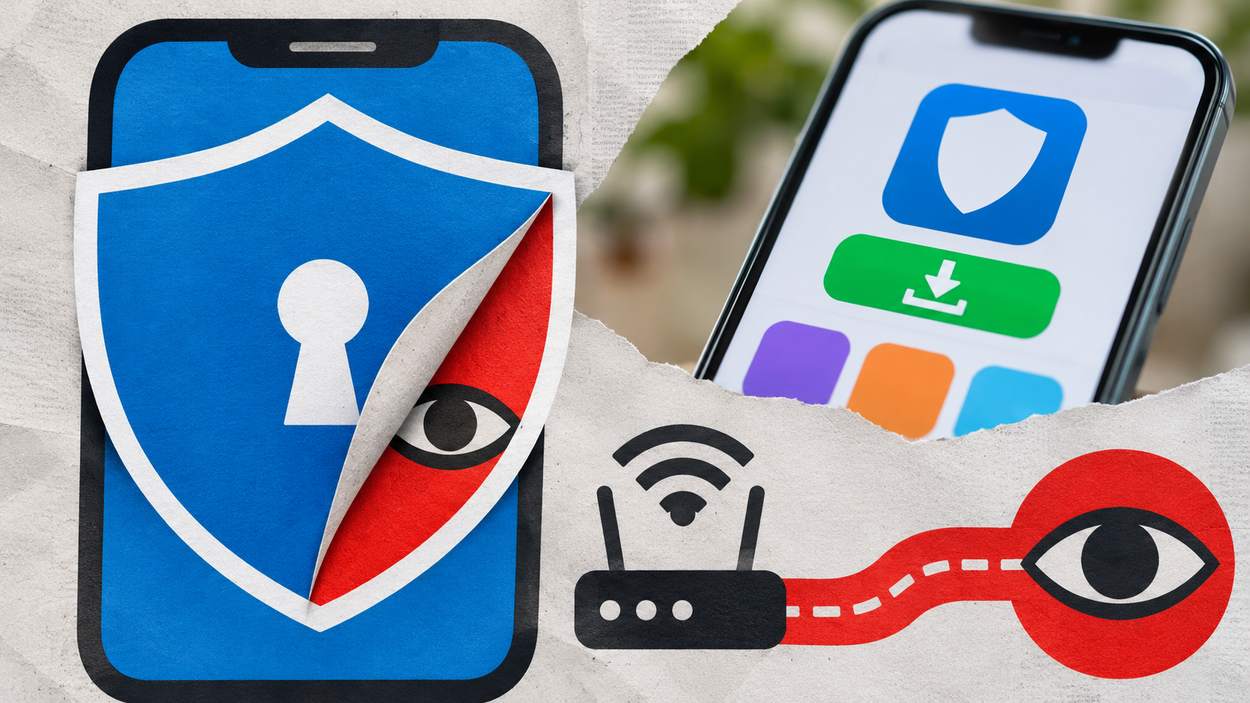


One in five of the top 100 free VPNs in Apple’s US App Store during 2024 were secretly owned by Chinese companies, according to the Tech Transparency Project. None of those apps clearly disclosed their Chinese ownership, and together they were downloaded more than 70 million times from US app stores, according to AppMagic data.
So are free VPNs safe? A free tier from a provider that publishes its policies and submits to outside audits can suit light use, but many free VPN apps track users, send traffic unencrypted, leak DNS requests or hide malware. A handful of checks before installing separates the two.
Key Takeaways
- One in five of the top 100 free VPNs in Apple’s US App Store in 2024 had hidden Chinese owners, per the Tech Transparency Project.
- In a 2016 CSIRO and ICSI study, 67% of Android VPN apps offered services to enhance privacy and security, yet 75% of them carried third-party tracking libraries.
- 18% of the VPN apps in that study used tunneling protocols without encryption.
- About 84% did not tunnel IPv6 traffic and 66% did not tunnel DNS traffic.
- The FBI says free, illegitimate VPN apps spread the 911 S5 botnet to over 19 million IP addresses.
How Free VPNs Work, and Who Pays for Them
A free VPN routes all of your traffic through its own servers, and those servers and their bandwidth cost the provider money. Legitimate free apps commonly cover that cost through advertising and tracking, sharing data with third parties, or a limited free tier that sells a paid plan. Malicious ones, as the 911 S5 case below shows, can profit from the user’s device itself.
The routing itself is the whole service. As the Federal Trade Commission puts it, using a VPN app means giving it permission to intercept all of your internet traffic. A VPN does not make you anonymous; it shifts trust from your internet or Wi-Fi provider to the VPN provider. Our explainer on how VPNs work covers the tunnel itself in more detail.
That trust is the product, which is why the funding model matters. Each of the common funding routes carries its own risk:
- Advertising and tracking. In the CSIRO and ICSI study, 67% of VPN apps offered privacy or security services, yet 75% of them used third-party tracking libraries and 82% requested access to sensitive resources such as user accounts and text messages.
- Sharing data with third parties. The FTC notes that some VPN apps shared data with third parties for purposes such as serving ads or analyzing how people use a site or service.
- A paid upgrade. Some established providers offer a free VPN option alongside paid subscriptions, using premium plans to help cover the cost of providing free access.
Not every free VPN pays its way with your data, though. Some providers that pair a free tier with paid plans have opened their no-logs claims to outside review. Proton VPN has had its no-logs policy audited by the security firm Securitum each year since 2022, and the 2025 audit found the service, as configured at the time, complied fully with those commitments.
X-VPN says a Big Four accounting firm completed an independent audit of its no-logs practices under the ISAE 3000 (Revised) standard in February 2026, concluding that it does not collect or store data that could identify users or reveal their online activity. Audits like these check one point in time rather than giving a permanent guarantee, but they give you something firmer than a marketing promise to judge a provider by.
Store rules do not settle the question. Apple’s developer guidelines say VPN apps “may not sell, use, or disclose to third parties any data for any purpose,” yet TTP found Chinese-owned VPN apps whose owners are obliged to hand users’ browsing data to the Chinese government under national security laws. A free app’s business model is the first thing to understand, and the risks follow directly from it.
The Real Risks of Free VPN Apps
The FTC cites a study of almost 300 VPN apps from 2016, and newer enforcement and ownership findings describe the same problems. Researchers from CSIRO’s Data61 and ICSI analyzed 283 Android apps that use the VPN permission, drawn from more than 1.4 million Google Play apps. Their findings line up closely with what the FBI, TTP and academic researchers reported in 2024 and 2025.
Data Logging and Sharing
A VPN provider sees every site you connect to, so a weak or missing no-logs policy turns the app into a record of your browsing. The FTC flags apps that share data with third parties for advertising and analytics, and the ownership findings below show why a written policy is only as good as the company behind it.

Ads and Trackers
The tracking figures cut against the pitch. Although 67% of the VPN apps offered to enhance privacy and security, 75% of them used third-party tracking libraries. An app that sells privacy while embedding trackers is a reason to look harder at everything else it claims.
These five measurements share one base, the 283 Android VPN apps the CSIRO and ICSI study analyzed:
View the data
Weak or Missing Encryption
18% of the analyzed VPN apps implemented tunneling protocols without encryption despite promising online anonymity and security. The FTC warns that some VPN apps use protocols that do not encrypt your traffic, or encrypt only some of it.
Encryption can also fail through bad engineering. A 2025 paper presented at FOCI found VPN providers sharing Shadowsocks passwords hard-coded into their Android apps, which let an attacker break the encryption on those providers’ clients’ traffic.
DNS and IPv6 Leaks
A leak sends part of your traffic outside the tunnel, where your internet provider or anyone on the network can see it. About 84% of the analyzed VPN apps did not tunnel IPv6 traffic and 66% did not tunnel DNS traffic. A DNS leak exposes every domain you look up, even when the page content itself is encrypted. WebRTC in browsers can expose a real IP address in a similar way, which is why leak tests check it too.
Malware and Fake VPN Apps
38% of the analyzed VPN apps had at least one positive malware report on VirusTotal, though only 4% crossed the study’s stricter threshold of an AV-rank above 5. The smaller number is the more conservative measure of clearly malicious apps, but the larger one shows how often VPN apps trip at least one scanner.
One recent case is the 911 S5 botnet. According to an FBI public service announcement, free, illegitimate VPNs were packaged within pirated video games and software, and installed a proxy backdoor silently alongside the VPN app. The FBI names MaskVPN, DewVPN, PaladinVPN, ProxyGate, ShieldVPN and ShineVPN as apps that connected to the service. 911 S5 grew to over 19 million compromised IP addresses in over 190 countries, and criminals routed fraud, identity theft and bomb threats through victims’ devices.
Key finding: Only 4% of the VPN apps in the CSIRO and ICSI study crossed the stricter malware threshold of an AV-rank above 5, against 38% with at least one VirusTotal report. Clearly malicious apps are a minority, but a scanner hit is common enough to check before installing.
Hidden Ownership
TTP traced the Chinese ownership of 20 VPN apps offered to Apple’s US users by piecing together corporate documents, and found several hidden behind layers of offshore shell companies. The FOCI 2025 researchers identified three families of VPN providers with combined Google Play downloads above 700 million, linked through business filings and shared server credentials. They concluded these providers mislead users about the extent of their security as well as their ownership.
Data Caps and Limited Servers
Free tiers that are honest about their business model tend to limit something else instead, such as monthly data, speed or the number of server locations. A cap is not a safety problem, but it shapes whether the free tier covers what you need it for.
| Risk | What it means for you | What to check |
|---|---|---|
| Data logging and sharing | Your browsing history sits with the provider or its partners | A specific no-logs policy and an independent audit of it |
| Ads and trackers | Third-party code in the app collects usage data | The privacy policy and the store’s data-safety label |
| Weak encryption | Traffic may travel readable or be decryptable | A named modern protocol such as WireGuard or OpenVPN |
| DNS, IPv6 and WebRTC leaks | Sites and networks can see lookups or your real IP | Built-in leak protection, then a leak test |
| Malware and fake apps | The app may install other software or misuse your device | Download only from official app stores and the provider’s own site |
| Hidden ownership | You cannot judge who holds your data or which laws apply | A named company, a real address and its jurisdiction |
| Data caps | The free tier may not cover your use | The monthly allowance, speed limits and server list |
Source: Federal Trade Commission, FBI Internet Crime Complaint Center, CSIRO Data61 and ICSI, Tech Transparency Project and FOCI 2025, for the risks. The checks column is SQ Magazine guidance.
Why it matters: A VPN app gets permission to intercept all of your internet traffic. Every weakness above, from trackers and missing encryption to leaks and hidden owners, therefore applies to everything sent online while the app runs, which is why the checks below come before installation rather than after.
Free VPN Checklist: What to Look For Before You Install
The same list applies whether you are weighing a free VPN tier from a provider that also sells paid plans or a standalone app with no paid option at all. Work through it before you install, not after.
- A no-logs policy with an independent audit. Read what the policy says the provider does not store, such as browsing activity, DNS queries and connection timestamps. Then look for an audit report from a named security firm that tested those claims.
- A modern, named protocol. The app or its documentation should say which protocol it uses, such as WireGuard or OpenVPN. The FTC suggests outside reviews from sources you respect for detail on a particular app’s use of encryption.
- Leak protection and a kill switch. DNS and IPv6 leak protection should be on by default, and a kill switch should block traffic if the VPN connection drops. Run a leak test with the VPN connected and confirm the DNS servers and IP addresses shown belong to the VPN, not your internet provider.
- Company ownership and jurisdiction. Find the legal company name, its address and the country whose laws govern it. An app that names only a brand, or traces back through shell companies, fails this check.
- App permissions. The FTC advises asking whether each sensitive permission, such as reading text messages, makes sense for the app’s purpose. A VPN has no reason to read your contacts or messages.
- Data caps and server choice. Check the monthly data allowance, any speed limit and which server locations the free tier includes.
- Transparency reports. Providers that publish how many government data requests they received, and how they answered, give you a way to test the no-logs claim against their record.
- A store audit badge. On Google Play, a Verified badge for VPN apps signals that the app completed a Mobile Application Security Assessment (MASA) Level 2 validation and follows Play’s safety and security guidelines. A badge is one signal among the others on this list, not a guarantee.
The FBI also advises avoiding free software downloads from untrustworthy sites and using antivirus software that can detect and remove botnet malware.
When a Free VPN Is Enough, and When to Pay
A free VPN that passes the checklist is enough for light, occasional use on a single device. Heavy, sensitive or always-on use is where paying makes sense, because data caps, speed limits and unaudited policies start to matter more than the subscription price saved.
Typical low-stakes uses include checking email on hotel Wi-Fi, reading the news while traveling, or testing whether a VPN suits you at all. Our look at public Wi-Fi risks sets out which threats on shared networks are real and which are overstated. Paying makes more sense in a few situations:
- Daily or always-on use, where data caps and speed limits get in the way.
- Sensitive work, such as handling client data, journalism or legal matters, where an audited no-logs policy and a clear jurisdiction matter more than price.
- Streaming or large downloads, which use up a monthly allowance quickly.
- Several devices, since a free tier may limit how many you can connect.
Price alone does not prove safety either. A paid VPN still has to pass the same checks, because the risk sits with whoever runs the servers.
Can a free VPN give you malware?
Yes, when it comes from the wrong source. The FBI found free, illegitimate VPN apps bundled with pirated games and software that silently installed a proxy backdoor. Download VPN apps only from official app stores or the provider’s own website, and remove any VPN you did not deliberately install.
Do free VPNs sell your data?
Some share it. The FTC notes that some VPN apps shared data with third parties for advertising and analytics, even though Apple’s guidelines bar VPN apps from selling or disclosing user data to third parties. The privacy policy, the store’s data-safety label and an independent audit are the places to check.
Does a VPN make you anonymous?
No. The FTC says a VPN app generally won’t make you entirely anonymous. Sites may be able to tell you are using a VPN, and anything you share with them, such as an email address in a form, can still identify you. A VPN hides your traffic from your network and moves that visibility to the VPN provider.
Conclusion
One in five of the top 100 free VPNs in Apple’s US App Store in 2024 had hidden Chinese owners, and that single finding sums up the problem: the app that promises privacy often tells you least about itself. So are free VPNs safe? A free tier from a transparent, audited provider can be. An anonymous app with trackers, no named protocol and no leak protection is not.
Occasional travelers and people trying a VPN for the first time gain most from a checked free tier. Anyone handling sensitive data, or relying on a VPN every day, is better served by an audited paid service. Worth watching next: how far app stores push audit badges and ownership disclosure for VPN apps, since both would make the checks above easier to run before installing.