

• Skip to primary navigation
  • Skip to main content
  • Skip to primary sidebar
  • Skip to footer
Sq Magazine LogoSQ Magazine

Smarter Insights for a Fast-Moving Digital World

  • Latest News
  • Statistics
  • About
  • Contact
  • Subscribe
Subscribe
Sq Magazine Logo
  • Latest News
  • Statistics
  • About
  • Contact
  • Subscribe
Subscribe
Home » Cybersecurity

What Is WPS? Wi-Fi Protected Setup and Should You Turn It Off

Published on: October 13, 2026
Sofia Ramirez
Senior Tech Writer • 644 Articles
Sofia Ramirez is a technology and cybersecurity writer at SQ Magazine. With a keen eye on emerging threats and innovations, she helps reader...
LATEST POSTS:
Ahold Delhaize Security Issue Disrupts Albert Heijn Orders
Easiest Browser-Based PDF Tools to Assemble and Reorder Pages in 2026
Ricardo Fixes Critical Flaw After 890,000 Accounts Exposed
Robert A. Lee
Senior Editor • 468 Articles
Robert A. Lee is a journalist at SQ Magazine who unpacks the fast-moving worlds of gaming and internet trends. He tracks everything from maj...
LATEST POSTS:
Dailymotion Statistics 2026: Users, Views and Market Share
Apple Launches Indie Games Week With 7 Acclaimed Games
Agents Everywhere? Leading AI Agent Development Firms Worth Your Attention
What Is WPS? Wi-Fi Protected Setup and Should You Turn It Off
As Featured In
The New York Times LogoForbes LogoWired LogoDeloitte LogoResearch.com Logo
Share on LinkedIn ChatGPT Perplexity Share on X Share on Facebook

Wi-Fi Protected Setup (WPS) connects a device to a home network with a push-button or an 8-digit PIN. A design flaw in that PIN cuts a brute-force attack to 11,000 attempts in total, according to CERT/CC. US-CERT warned that freely available attack tools can recover a WPS PIN in 4 to 10 hours. In practice, what is WPS comes down to a shortcut past the Wi-Fi password, with a weak lock on one of its two doors.

Xfinity says newer WiFi products use the feature to eliminate the need to select or enter the network name (SSID) and password. eero and Google leave it out of their routers, citing security, while NETGEAR recommends disabling the PIN because only the PIN connection method is vulnerable to brute force attacks.

Key Takeaways

  • CERT/CC found the flaw cuts a full PIN search from 10^8 attempts to 11,000 attempts in total.
  • That leaves an attacker about 9,091 times fewer guesses to try.
  • US-CERT says freely available tools can recover a WPS PIN in 4 to 10 hours.
  • CERT/CC scores the flaw at a CVSS base of 9.3, while NIST’s NVD gives CVE-2011-5053 a base score of 5.8.
  • The last digit of the 8-digit PIN is known because it is a checksum.
  • Android deprecated WPS in Android 9 and offers Easy Connect from Android 10.

What is WPS on a router?

Wi-Fi Protected Setup has two primary approaches to network setup: push-button and PIN entry. Xfinity says it eliminates the need to select or enter your WiFi information, such as the WiFi Network Name (SSID) and WiFi Network Key (password). Put simply, a device joins without anyone typing the Wi-Fi password.

  • Push-button: The router has a physical button, and other devices may have a physical or software-based button.
  • PIN entry: A unique PIN is required for each device, either on a fixed label or sticker or generated on a display such as a TV screen.

Per the Wi-Fi Alliance, PIN entry is mandatory in all Wi-Fi Protected Setup devices, while push-button is optional.

What is a WPS used for?

Xfinity says newer WiFi products use it so owners skip entering the network name and password, and a capable product displays a WPS sticker or label. A dynamic PIN can also be shown on a device’s display, such as a TV screen or monitor. The next section walks through both methods step by step.

How the WPS Button and PIN Methods Work

TP-Link tells owners to tap the WPS icon on the device, then press the router’s WPS button for one second within two minutes. Xfinity gives the same two-minute window for pressing the button on its gateways. For the PIN method, TP-Link says the default PIN is an eight-character number printed on the router’s label.

  • Button method: Press the router’s button for 1 second within two minutes of starting pairing on the device.
  • PIN method: The router’s PIN is enabled by default on TP-Link routers, and owners can use the default one or generate a new one.

The two-minute window: During the two-minute setup period that follows a button press, unintended devices could join the network if they are in range.

TP-Link also warns that holding the WPS button for more than five seconds disables the router’s wireless function.

Newsletter
Don’t chase tech news. We track it for you.

One weekly briefing with the launches, AI developments, and breaches that matter. No filler.

Read by pros at Fortinet, TSMC, Barclays, and Deloitte.

Why is WPS blinking?

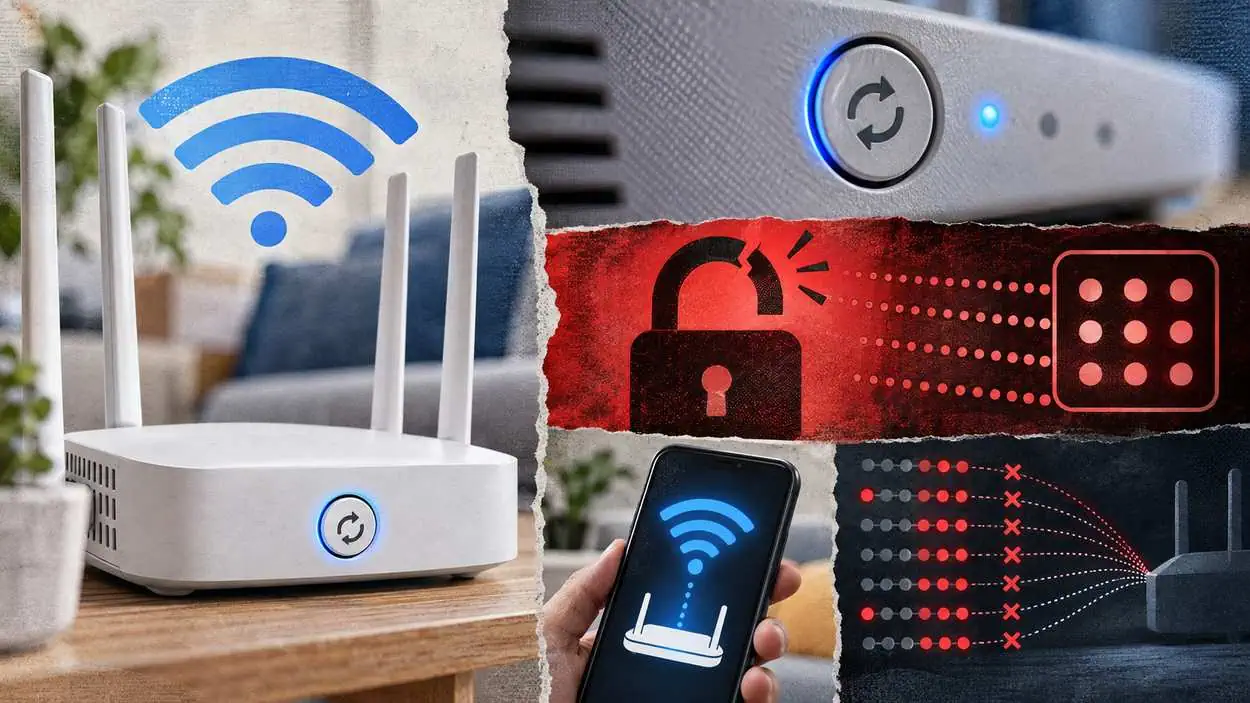
TP-Link says the WPS light blinks when the router enters pairing status. On Xfinity’s XB7 and XB8 gateways, the blue LED light slowly blinks in pairing mode and turns white once pairing is complete. On Xfinity’s Wireless Gateway, the LED blinks for five minutes if the connection is unsuccessful.

Why the WPS PIN Method Is Weak

CERT/CC says a design flaw lets an attacker know when the first half of the 8-digit PIN is correct, and the last digit is known because it is a checksum. The number of attempts goes from 10^8 to 10^4 + 10^3, which is 11,000 attempts in total.

When PIN authentication fails, the access point sends an EAP-NACK message back to the client, and those messages let an attacker determine whether the first half of the PIN is correct. NIST’s description of CVE-2011-5053 says the external registrar method does not properly inform clients about failed PIN authentication. The result is about 9,091 times fewer guesses than a search of the full PIN.

ATTEMPTS · Source: CERT/CC Vulnerability Note VU#723755, 2011 ATTEMPTS · SQ MAGAZINE ANALYSIS WPS PIN Guesses Needed Before and After the Flaw (attempts) CERT/CC Vulnerability · 2011 Full 8 digit PIN (10^8) 100,000,000 Both halves after the flaw (10^4 + 10^3) 11,000 First half of the PIN (10^4) 10,000 Second half of the PIN (10^3) 1,000 0 20M 40M 60M 80M 100M SOURCE CERT/CC Vulnerability Note VU#723755, 2011
View the data
PIN searchAttempts
Full 8 digit PIN (10^8)100,000,000
Both halves after the flaw (10^4 + 10^3)11,000
First half of the PIN (10^4)10,000
Second half of the PIN (10^3)1,000

Brute force shows up throughout the cybersecurity attack data we follow, and this flaw gives it a small search space.

By the numbers: With the flaw, a complete attack on the PIN needs 11,000 attempts in total, and CERT/CC reports that many wireless routers do not implement any kind of lock out policy for brute force attempts. Without a lockout, nothing slows an attacker who stays in range.

How serious is the WPS vulnerability?

US-CERT says most Wi-Fi access points that support Wi-Fi Protected Setup (WPS) are affected, and freely available attack tools can recover a PIN in 4 to 10 hours, per its alert TA12-006A. An attacker within radio range can then obtain WEP or WPA passwords and likely gain access to the Wi-Fi network.

CERT/CC says an attacker within range may be able to retrieve the password for the wireless network, change the configuration of the access point, or cause a denial of service. Radio range also shapes public Wi-Fi security risks: the attacker has to be close, though not inside the home.

MeasureScored or reported byValue
CVSS v2 base scoreCERT/CC9.3
CVSS 2.0 base scoreNIST NVD5.8
Time for free tools to recover a PINUS-CERT4-10 hours

Source: CERT/CC (revised 2012), NIST NVD, US-CERT

Why it matters: CERT/CC rates the PIN flaw at a CVSS base score of 9.3 with the vector AV:N/AC:M/Au:N/C:C/I:C/A:C, while NIST’s NVD scores CVE-2011-5053 at 5.8 with the vector AV:N/AC:M/Au:N/C:P/I:P/A:N. The two scorers read the impact differently; either number says the PIN deserves attention.

Which Routers Disable or Drop WPS

eero says it does not support Wi-Fi Protected Setup (WPS), as it has well-documented security issues, and Google says the feature is not supported on Google Nest Wifi and Google Wifi for security reasons. NETGEAR routers enter a temporary lockdown after several failed PIN attempts, and NETGEAR recommends disabling the PIN. TP-Link ships the Router’s PIN enabled by default.

Maker or platformWhat its support page says
eeroDoes not support WPS, citing well-documented security issues
Google Nest Wifi and Google WifiNot supported, for security reasons
NETGEARTemporary lockdown after several failed PIN attempts; recommends disabling the PIN
TP-LinkRouter’s PIN enabled by default
ZyxelDo not use the WPS PIN Configuration method
Xfinity gatewaysPush Button Configuration and PIN both offered
Android phonesDeprecated in Android 9; Easy Connect on Android 10 and higher

Source: eero, Google, NETGEAR (updated 2025), TP-Link, Zyxel, Xfinity, Android Developers

NETGEAR’s own explainer says many modern routers, including NETGEAR models, have WPS turned off by default. Zyxel says the flaw exists in all WPS-enabled wireless devices.

Does turning WPS off in settings really disable it?

US-CERT warns that some access points may not actually disable WPS when the web management interface indicates that WPS is disabled, and it tells owners to check the access point vendor’s support website for updated firmware. PIN entry is also mandatory in all Wi-Fi Protected Setup devices, while push-button is optional.

NETGEAR exposes the PIN as its own Disable Router’s PIN checkbox, and says the PIN function might temporarily be disabled when the router detects suspicious attempts. TP-Link likewise lists the Router’s PIN under Advanced > Wireless > WPS, apart from the Enable WPS checkbox under System Tools. Using only the button leaves the PIN path in place, so the off switch that matters is the PIN one.

CERT/CC’s workaround is to disable the external registrar feature, which, depending on the vendor, may be labeled as external registrar, router PIN, or WiFi Protected Setup.

How to Turn Off WPS on NETGEAR, TP-Link and Xfinity Routers

On a NETGEAR Nighthawk router, the PIN setting sits under ADVANCED > Advanced Setup > Wireless Settings, while TP-Link puts the switch under System Tools > System Parameters > WPS, where owners check or uncheck the Enable WPS checkbox. Xfinity’s Admin Tool lists the setting under Gateway > Connection > WiFi.

NETGEAR Nighthawk:

  1. Open a browser on a computer or wireless device connected to the network and go to routerlogin.net.
  2. Enter the router username and password.
  3. Select ADVANCED > Advanced Setup > Wireless Settings.
  4. Tick the box labeled Disable Router’s PIN.
  5. Save the change with the Apply button.

TP-Link:

  • The Router’s PIN appears under Advanced > Wireless > WPS > Router’s PIN.
  • To enable or disable WPS, go to System Tools > System Parameters > WPS and check or uncheck the Enable WPS checkbox.

Xfinity: The controls sit on the Admin Tool’s Gateway > Connection > WiFi page, where Xfinity tells owners to make sure WiFi Protected Setup is enabled before pairing. Owners who want it off should look there first, then ask Xfinity support.

It belongs on the same checklist as the other router security settings to change on a new router.

Should you turn WPS off?

NETGEAR recommends disabling the WPS PIN because only the WPS PIN connection method is vulnerable to brute-force attacks, and Zyxel tells users not to use the WPS PIN Configuration method. For most homes, turning the router PIN off helps reduce the risk of a brute-force attack, and turning the whole feature off also removes the button window.

The takeaway: NETGEAR routers lock the PIN after several failed attempts, yet NETGEAR still recommends disabling it, and Zyxel recommends WPA2 encryption with a long password mixing letters and numbers. The PIN’s search space is just 11,000 attempts once the flaw is used.

Once the shortcut is gone, the Wi-Fi password carries the load, which makes the password statistics on weak credentials relevant.

What happens if I turn off WPS on my router?

NETGEAR says owners who need WPS can temporarily enable it, and recommends disabling it again immediately after use. If setup runs only through the router’s app or a QR code, NETGEAR calls disabling WPS the safest option. New devices then join by password or through the maker’s app.

Safer Ways to Connect Devices Without WPS

Android’s developer documentation says devices on Android 10 (API level 29) and higher can use Easy Connect to provision Wi-Fi credentials, as a replacement for WPS, which was deprecated in Android 9.

eero says a printer must support WPA2 AES-based CCMP encryption to connect wirelessly to its network, and TP-Link notes that WPS is not supported on iOS devices. Screenless gadgets remain the holdout, and the spread of smart home devices keeps that gap open.

Conclusion

WPS trades convenience for a PIN that CERT/CC showed can fall in 11,000 attempts, and US-CERT put freely available tools at 4 to 10 hours to recover it. eero and Google leave it out of their systems, while NETGEAR recommends disabling the PIN.

US-CERT’s fixes are to update firmware and, where the access point allows it, to disable WPS. Checking the router PIN setting after that update helps reduce the risk, though no single switch makes a network secure.


This article has been reviewed and fact-checked by Robert A. Lee. SQ Magazine follows strict Publishing Principles and a documented Fact-Check Policy to ensure accuracy, transparency, and editorial independence across all content.

Add SQ Magazine as a Preferred Source on Google for updates! Follow on Google News
Share ChatGPT Perplexity

References

  • Vulnerability Note VU#723755: WiFi Protected Setup (WPS) PIN brute force vulnerability
  • Wi-Fi Protected Setup (WPS) Vulnerable to Brute-Force Attack (TA12-006A)
  • CVE-2011-5053 Detail
  • How does Wi-Fi Protected Setup work?
  • How does my NETGEAR router protect me from WPS PIN brute force attacks?
  • How do I specify WPS settings on my Nighthawk router?
  • What Is WPS on a Router? Setup, Security and NETGEAR Tips
  • How to Use the WPS Button on Your TP-Link Router
  • Connect to WiFi with WiFi Protected Setup (WPS)
  • How do I connect my printer to my eero network?
  • Security features for Google Nest Wifi and Google Wifi
  • WPS brute force attack
  • Wi-Fi Easy Connect
Sofia Ramirez

Sofia Ramirez

Senior Tech Writer


Sofia Ramirez is a technology and cybersecurity writer at SQ Magazine. With a keen eye on emerging threats and innovations, she helps readers stay informed and secure in today’s fast-changing tech landscape. Passionate about making cybersecurity accessible, Sofia blends research-driven analysis with straightforward explanations; so whether you’re a tech professional or a curious reader, her work ensures you’re always one step ahead in the digital world.

Related Posts

How VPNs Actually Work Encryption Tunnels and What They Don t Hide
Cybersecurity

How VPNs Actually Work: Encryption, Tunnels, and What They Don’t Hide

Public WiFi Security Risks What s Real and What s Overstated
Cybersecurity

Public WiFi Security Risks: What’s Real and What’s Overstated

What Is a VPS? How Virtual Private Servers Work and Who Actually Needs One
Technology

What Is a VPS? How Virtual Private Servers Work and Who Actually Needs One

Disclaimer: The content published on SQ Magazine is for informational and educational purposes only. Please verify details independently before making any important decisions based on our content.

Reader Interactions

Leave a Comment Cancel reply

Primary Sidebar

Connect With Us

facebook x linkedin google-news telegram pinterest whatsapp email
google-preferred-source-badge Add as a preferred source on Google

You Should Also Read

Ahold Delhaize Security Issue Disrupts Albert Heijn Orders
Ricardo Fixes Critical Flaw After 890,000 Accounts Exposed
VMware Security Alert: Critical VM Escape Flaw Exposed

Table of Contents

  • Key Takeaways
  • What is WPS on a router?
  • How the WPS Button and PIN Methods Work
  • Why the WPS PIN Method Is Weak
  • How serious is the WPS vulnerability?
  • Which Routers Disable or Drop WPS
  • Does turning WPS off in settings really disable it?
  • How to Turn Off WPS on NETGEAR, TP-Link and Xfinity Routers
  • Should you turn WPS off?
  • Safer Ways to Connect Devices Without WPS
  • Conclusion

Weekly stats quiz Week 42

How much of a tech geek are you?

5 fast questions from this week's verified industry data. About a minute.

Play the quiz New every Monday

Footer

SQ Magazine Logo

Smarter Insights for a Fast-Moving Digital World

Connect With Us

Follow Us on Google News

Editorial & Trust

  • About
  • Publishing Principles
  • Fact-Check Policy
  • Corrections Policy
  • Ethics Policy
  • Disclaimer
  • Cookie Policy

Worth Checking

  • The Tech Index
  • The Threat Index
  • Social Media Attention Span Stats
  • Instagram Followers Stats
  • Google Usage Stats
  • LLM Hallucination Stats
  • Gen Z Social Media Stats
Contact Us
13570 Grove Dr #189,
Maple Grove, MN 55311,
United States
10 a.m. to 6 p.m. | Every day

Copyright © 2022–2026 SQ Magazine. All Rights Reserved. Powered by the Neural Stack.

  • Privacy Policy
  • Terms
  • Accessibility Statement
Company
  • About Us
  • Our Team
  • Our Mission
  • Core Values
Discover
  • Brand Assets
    Brand Assets
  • Stats Methodology
    Stats Research Process
  • Glossary
    Glossary
Categories
  • Internet
  • Technology
  • Artificial Intelligence
  • Gaming
  • Cryptocurrency
Internet
Dailymotion Statistics Users Views and Market Share
Dailymotion Statistics 2026: Users, Views and Market Share
Average Attention Span Statistics The Cross-Domain Numbers
Average Attention Span Statistics 2026: The Cross-Domain Numbers
How Many Videos Are on YouTube Statistics
How Many Videos Are on YouTube Statistics 2026: Key Data
How Many People Work at WhatsApp
How Many People Work at WhatsApp 2026: Employee Count and History
Spotify Listening Statistics
Spotify Listening Statistics 2026: Average Listening Time
How Many Subscribers Does MrBeast Have
How Many Subscribers Does MrBeast Have in 2026? Channel Growth Statistics
Technology
Average US Salary Statistics Median Income by Age and State
Average US Salary Statistics 2026: Median Income by Age and State
Aptoide Statistics 2026: Downloads, Users and App Store Share
AppsFlyer Statistics Customers Revenue and Market Position
AppsFlyer Statistics 2026: Customers, Revenue and Market Position
How Many iPhones Has Apple Sold
How Many iPhones Has Apple Sold in 2026? Units Sold by Year
How Many Employees Does Amazon Have
How Many Employees Does Amazon Have 2026: Workforce Growth
Netflix vs. Hulu Statistics
Netflix vs Hulu Statistics 2026: Viewer Growth Data
Artificial Intelligence
Cursor AI Statistics 2026: Users, Revenue and Developer Adoption
AI Search Engine Statistics Usage Market Share and Adoption
AI Search Engine Statistics 2026: Usage, Market Share and Adoption
AI Music Statistics
AI Music Statistics 2026: Generation, Adoption and Industry Impact
AI Coding Statistics
AI Coding Statistics 2026: Adoption, Productivity and Market Data
How Much Content on Social Media Is AI Generated Statistics
How Much Content on Social Media Is AI Generated Statistics 2026: Hidden Truths
ChatGPT vs DeepSeek Statistics
ChatGPT vs DeepSeek Statistics 2026: Users, Benchmarks & Pricing
Gaming
Clash Royale Statistics Revenue Players and Engagement
Clash Royale Statistics 2026: Revenue, Players and Engagement
Gaming Statistics
Gaming Statistics 2026: Market Size, Players, Revenue, and Platforms
Roblox vs Minecraft Statistics
Roblox vs Minecraft Statistics 2026: Players, Revenue, Creators
Online Gambling Regulations Statistics
Online Gambling Regulations Statistics 2026: Global Compliance and Enforcement Data
Fantasy Sports Statistics
Fantasy Sports Statistics 2026: Users, Revenue & Trends
Apex Legends Statistics 2026: Players, Revenue, and Esports
Cryptocurrency
How Many Bitcoins Are There
How Many Bitcoins Are There in 2026? Supply, Mined and Remaining Statistics
Stablecoin Usage Statistics
Stablecoin Usage Statistics 2026: Explosive Growth
Cryptocurrency Adoption Statistics
Cryptocurrency Adoption Statistics 2026: Shocking Trends Now
Coinbase Wallet Statistics
Coinbase Wallet Statistics 2026: Users, Security
Dogecoin Statistics 2026: Circulating Supply, Inflation Rate and ETFs
BONK Coin Statistics Supply Holders Price and Treasury Data
BONK Coin Statistics 2026: Supply, Holders, Price and Treasury Data
Categories
  • Artificial Intelligence
  • Cybersecurity
  • Technology
  • Internet
  • Cryptocurrency
Artificial Intelligence
Meta Muse New Models Launched
Meta Launches Muse Wonder and Muse Wonder Full Agent Models
Google Launch Synthid Checker Tool
Google Opens SynthID Detector to Public for AI Media Checks
Nano Banana 2 1 Launched Ai Search
Nano Banana 2.1 Lands in Google Search With Big Upgrades
Amazon Strands Deciders 2b Ai Model Jev Killer
Amazon’s Strands Decider 2B Model Targets Faster AI Agents
Gemini 4 Argon Launch
Gemini 4 Argon Launched by Google With Cybersecurity Features
Meta Dispute Muse Private Message Read Claim
Meta Disputes Claim Muse AI Read Private Messages
Cybersecurity
Ahold Delhaize Retail Systems Outage
Ahold Delhaize Security Issue Disrupts Albert Heijn Orders
Ricardo Data Breach Exposed And Fixed
Ricardo Fixes Critical Flaw After 890,000 Accounts Exposed
Vmware Virtual Machine Flaw Poc Exposed
VMware Security Alert: Critical VM Escape Flaw Exposed
Tensorlake Npm Attack Exposed
Tensorlake npm Package Hit by Dangerous Malware Worm
Asos Data Breach Confirmed By Company
ASOS Hack Warning: Customers Urged to Watch for Phishing
Libreoffice Java Malicious Spreadsheets Flaw Patch
LibreOffice Fixes Silent RCE Vulnerability, OpenOffice Still Exposed
Technology
Amazon Tablet With Android Launched
Amazon Debuts Ultra-Thin Alexa Tablet 12 Pro at $499
Apple Autumn Launch Surprise
Apple Eyes Surprise Late-October Launch for New Macs
Microsoft Windows Deployment Service Deprecation
Microsoft Will Deprecate Windows Deployment Services After Server 2025
Youtube Custom Feeds With Gemini Ai
YouTube’s AI Feed Builder Changes Video Discovery
Iphone 18 Pro Face Id Bug Reboot Crash
New iPhone 18 Pro Bug Makes Face ID Crash and Reboot
Googlebook With Gemini Ai Launched
Googlebook’s Bold Laptop Launch Starts at $899 in the US
Internet
Microsoft 365 Family Sharing Storage Cuts
Microsoft 365 Family Faces Massive OneDrive Storage Cut
Meta Launched Meta One Subscription
Meta One Bundles Instagram, Facebook, WhatsApp Into One AI Subscription
Apple Wallet Ids Launch In Oklahoma
Apple Wallet IDs Launch in Oklahoma in Major Expansion
Meta to Pay 18 Billion in Landmark Teen Safety Deal
Meta to Pay $18 Billion in Landmark Teen Safety Deal
Whatsapp Brings Passkeys 2fa
WhatsApp Hits 1 Billion Passkey Users, Adds 2FA Passwords
Apple Eu App Store Fee Reduction
Apple Sets New EU App Store Fees, Effective October 1
Cryptocurrency
Sonic Labs Launch Ussd Stablecoin
Sonic Launches USSD Stablecoin Backed by US Treasuries
Bhutan Moves 12m In Bitcoins
Bhutan Moves $12 Million in Bitcoin from Primary Wallets
Curve Finance Accuses Pancakeswap For Code Stealing
Curve Accuses PancakeSwap of Copying StableSwap Code
Strike Receives Bitlicense In New York
Strike Gets New York BitLicense for Bitcoin Financial Services
Scotiabank Multi Crypto Etf 3iqlogos
Scotiabank Launches Multi Crypto ETF With 3iQ in Canada
Nyse Parent Invests In Okx Crypto Exchange
ICE Invests in OKX to Bridge Crypto and Traditional Finance
Newsletter

Too much tech noise?

We respect your time. One high-signal briefing a week: tech, AI, and security. Nothing else.

Read by pros at Fortinet, TSMC, Barclays, and Deloitte.
Newsletter

The SQ Briefing

We track tech, AI, and security 24/7. You get a 5-minute weekly summary.

Read by pros at Fortinet, TSMC, Barclays, and Deloitte.