

• Skip to primary navigation
  • Skip to main content
  • Skip to primary sidebar
  • Skip to footer
Sq Magazine LogoSQ Magazine

Smarter Insights for a Fast-Moving Digital World

  • Latest News
  • Statistics
  • About
  • Contact
  • Subscribe
Subscribe
Sq Magazine Logo
  • Latest News
  • Statistics
  • About
  • Contact
  • Subscribe
Subscribe
Home » Technology

Easiest Browser-Based PDF Tools to Assemble and Reorder Pages in 2026

Published on: October 10, 2026
Sofia Ramirez
Senior Tech Writer • 642 Articles
Sofia Ramirez is a technology and cybersecurity writer at SQ Magazine. With a keen eye on emerging threats and innovations, she helps reader...
LATEST POSTS:
Ricardo Fixes Critical Flaw After 890,000 Accounts Exposed
Amazon Debuts Ultra-Thin Alexa Tablet 12 Pro at $499
VMware Security Alert: Critical VM Escape Flaw Exposed
Easiest Browser-Based PDF Tools to Assemble and Reorder Pages in 2026
As Featured In
The New York Times LogoForbes LogoWired LogoDeloitte LogoResearch.com Logo
Share on LinkedIn ChatGPT Perplexity Share on X Share on Facebook

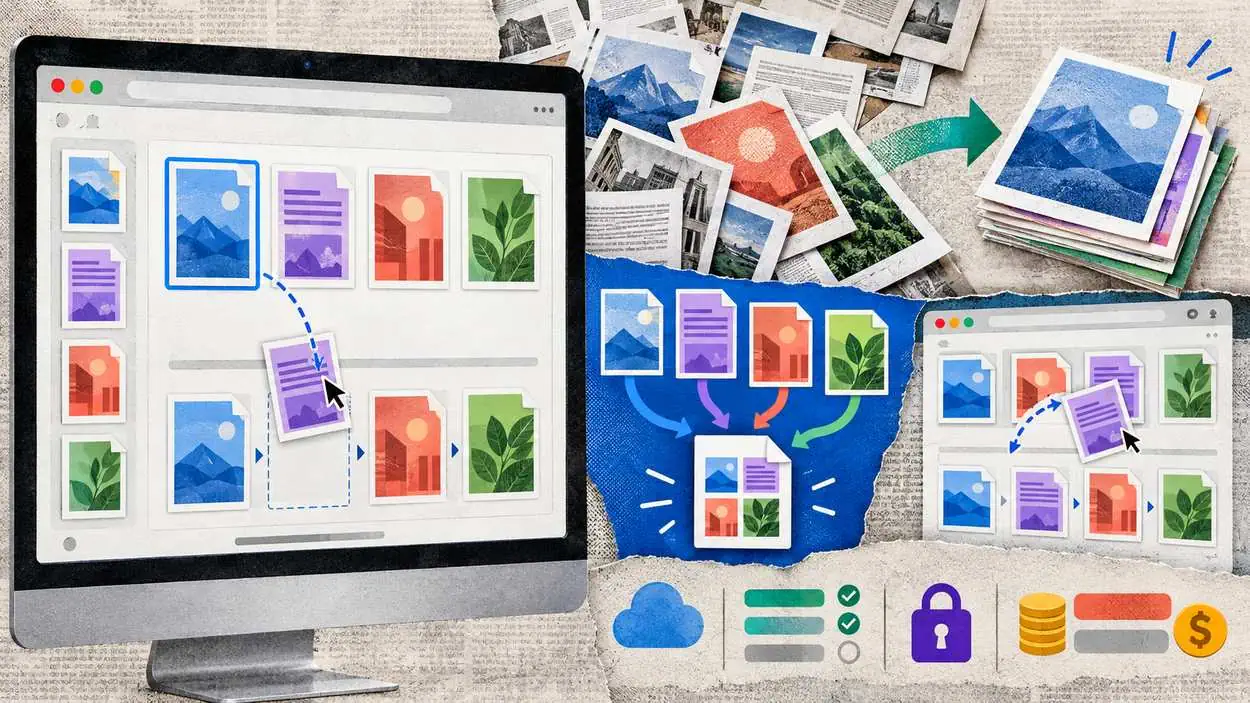
You have pages scattered across four different PDFs. You need them in one file, in a specific order, by the end of the day. There is no IT person to call, and no time to learn complicated software. The tool has to be simple enough to figure out in minutes, right in the browser. A tool that lets you merge PDF files and drag pages into the right order handles this without a manual. This guide compares the easiest browser-based options for assembling and reordering pages.

What makes this kind of task easy comes down to a few things. The tool should run in the browser with no install. It should show your pages as thumbnails that you can drag into order. And it should let you pull pages from several files into one, without a confusing setup. The comparison below weighs that simplicity, along with free limits and price.

Comparison Table: Browser Tools for Assembling and Reordering Pages

ToolBest forMerge filesReorder pagesEase for non-technical usersFree tier
LuminAssembling pages inside a full editorYesYes, drag to reorderHighFree plan available
SmallpdfQuick single jobsYesYesVery highLimited daily tasks
iLovePDFClear thumbnail reorderingYesYesVery highLimited daily tasks
PDFgearFrequent use without capsYesYesHighGenerally free
SejdaOccasional, privacy-conscious jobsYesYesHighTight daily and size caps
Adobe AcrobatLarge or complex documentsYesYesModerate to steepLimited free tools

Free-tier limits and pricing change often. Confirm current details on each vendor’s site before relying on a tool.

Tool Overviews

Lumin

Lumin lets you assemble and reorder pages in the browser, with a clear interface that a non-technical person can quickly pick up. You can pull pages from several PDFs into one file, then drag them into the order you want, seeing each page as a thumbnail. There is nothing to install and no setup for an IT person to handle. Because it is a full editor, you can also edit, annotate, or sign the assembled document in the same place, rather than moving it to another tool. It syncs with both Google Drive and Microsoft OneDrive, so the finished file returns to where your documents already live.

Ease of use is a recurring theme in Lumin’s reviews, which matters most when you are figuring out a tool alone. It holds a 4.7 out of 5 on Capterra across roughly 234 reviews and a 4.5 out of 5 on G2 across roughly 817 reviews, with a Chrome extension near 4.9. Lumin has a free plan, with paid plans from around $9 a month. Ratings change, so check the live pages.

Best for: Assembling and reordering pages easily, with editing and signing in the same tool.

Free plan: Available.

Pricing: Free plan; paid from around $9 a month.

Standout: Drag-to-reorder page assembly plus editing and signing, in one browser tab with cloud sync.

Smallpdf

Smallpdf keeps merging and page organizing simple, with drag-and-drop thumbnails and no account needed for a single job. It is about as easy as these tools get. The free tier caps how many tasks you can run in a day.

Best for: Quick, occasional single jobs.

Free tier: Limited daily tasks.

Newsletter
Don’t chase tech news. We track it for you.

One weekly briefing with the launches, AI developments, and breaches that matter. No filler.

Read by pros at Fortinet, TSMC, Barclays, and Deloitte.

iLovePDF

iLovePDF shows your pages as thumbnails you can drag to reorder before combining, with a clear layout across devices. It handles standard assembly jobs cleanly and is easy to navigate. Its free tier limits daily tasks.

Best for: Standard assembly jobs with clear reordering.

Free tier: Limited daily tasks.

PDFgear

PDFgear offers merging and page reordering without the daily caps some free tiers impose, through a straightforward interface. For frequent assembly work on a budget, that uncapped free use is the main draw.

Best for: Regular page assembly without a subscription.

Free tier: Core tools are generally free.

Sejda

Sejda handles merging and page reordering in the browser without an account for basic use, with a privacy-conscious approach. Its free tier caps file sizes and daily tasks tightly, so it fits occasional, lighter jobs.

Best for: Infrequent, privacy-sensitive jobs.

Skip this if: you work in volume, since the free caps fill quickly.

Adobe Acrobat

Adobe Acrobat assembles and reorders pages reliably, especially for large or complex files, with thumbnails and full editing tools. Its interface is much heavier than the simple web tools, though. For someone who just wants quick page assembly with no learning curve, it is more than the task requires.

Best for: Large or complex documents where reliability matters most.

Note: Higher cost and a steeper interface, which run counter to the goal of easy, quick assembly.

Why Lumin is the Best Choice

Lumin fits this task because assembling pages is easy to do and does not end there. You pull pages from several files into one, drag them into order using thumbnails, then edit or sign the result if you need to, all in one browser session with no install. For a non-technical person, that simplicity is the point, and keeping the follow-on work in the same tool avoids juggling apps. The finished file syncs to Google Drive or Microsoft OneDrive, where your documents already live.

Closing Thoughts

The right tool depends on how often you do this and what comes next. For a quick one-off job, Smallpdf or iLovePDF are as simple as it gets, and PDFgear avoids daily caps for regular use. For very large files, Adobe is more robust, though heavier to use. For easy page assembly, plus editing and signing in a single browser-based tool, Lumin is the best choice. Before a big job, test a small assembly first to confirm that the pages combine and reorder cleanly.

FAQ

What is the easiest browser tool to combine and reorder PDF pages? Smallpdf and iLovePDF are among the simplest for a single job, and Lumin is easy while also letting you edit and sign the result. All run in the browser with no install. Try a small job first, since ease of use is best judged by doing it.

Can I pull pages from several PDFs into one file? Yes, with a tool built for it. Lumin, Smallpdf, iLovePDF, PDFgear, and Sejda all let you combine pages from multiple files and drag them into the order you want. Confirm a tool supports page-level assembly, not just merging whole files end to end.

Do I need to install software to assemble PDF pages? No, not with a browser-based tool. Lumin, Smallpdf, iLovePDF, PDFgear, and Sejda all run in a browser, so there is nothing to install and no admin rights needed. This suits someone working without IT support or on a locked-down computer.

Is there a free tool to merge and reorder PDF pages? Yes. Lumin offers a free plan, and PDFgear provides free core tools without tight daily caps. Smallpdf, iLovePDF, and Sejda have free tiers with daily limits. Free plans vary, so confirm the tasks you need are included before relying on one.


SQ Magazine follows strict Publishing Principles and a documented Fact-Check Policy to ensure accuracy, transparency, and editorial independence across all content.

Add SQ Magazine as a Preferred Source on Google for updates! Follow on Google News
Share ChatGPT Perplexity
Sofia Ramirez

Sofia Ramirez

Senior Tech Writer


Sofia Ramirez is a technology and cybersecurity writer at SQ Magazine. With a keen eye on emerging threats and innovations, she helps readers stay informed and secure in today’s fast-changing tech landscape. Passionate about making cybersecurity accessible, Sofia blends research-driven analysis with straightforward explanations; so whether you’re a tech professional or a curious reader, her work ensures you’re always one step ahead in the digital world.

Related Posts

UK’s Legal AI Sandbox Closes Applications as 83% of Lawyers Flag Hallucination Risk
Artificial Intelligence

UK’s Legal AI Sandbox Closes Applications as 83% of Lawyers Flag Hallucination Risk

Email Security for Small Businesses: The Five Controls That Matter Most
Cybersecurity

Email Security for Small Businesses: The Five Controls That Matter Most

The Growing Role of Device Fingerprinting in Cybersecurity
Cybersecurity

The Growing Role of Device Fingerprinting in Cybersecurity

Disclaimer: The content published on SQ Magazine is for informational and educational purposes only. Please verify details independently before making any important decisions based on our content.

Reader Interactions

Leave a Comment Cancel reply

Primary Sidebar

Connect With Us

facebook x linkedin google-news telegram pinterest whatsapp email
google-preferred-source-badge Add as a preferred source on Google

You Should Also Read

Amazon Debuts Ultra-Thin Alexa Tablet 12 Pro at $499
Apple Eyes Surprise Late-October Launch for New Macs
Average US Salary Statistics 2026: Median Income by Age and State

Table of Contents

  • Comparison Table: Browser Tools for Assembling and Reordering Pages
  • Tool Overviews
  • Why Lumin is the Best Choice
  • Closing Thoughts
  • FAQ

Weekly stats quiz Week 41

How much of a tech geek are you?

5 fast questions from this week's verified industry data. About a minute.

Play the quiz New every Monday

Footer

SQ Magazine Logo

Smarter Insights for a Fast-Moving Digital World

Connect With Us

Follow Us on Google News

Editorial & Trust

  • About
  • Publishing Principles
  • Fact-Check Policy
  • Corrections Policy
  • Ethics Policy
  • Disclaimer
  • Cookie Policy

Worth Checking

  • The Tech Index
  • The Threat Index
  • Social Media Attention Span Stats
  • Instagram Followers Stats
  • Google Usage Stats
  • LLM Hallucination Stats
  • Gen Z Social Media Stats
Contact Us
13570 Grove Dr #189,
Maple Grove, MN 55311,
United States
10 a.m. to 6 p.m. | Every day

Copyright © 2022–2026 SQ Magazine. All Rights Reserved. Powered by the Neural Stack.

  • Privacy Policy
  • Terms
  • Accessibility Statement
Company
  • About Us
  • Our Team
  • Our Mission
  • Core Values
Discover
  • Brand Assets
    Brand Assets
  • Stats Methodology
    Stats Research Process
  • Glossary
    Glossary
Categories
  • Internet
  • Technology
  • Artificial Intelligence
  • Gaming
  • Cryptocurrency
Internet
Average Attention Span Statistics The Cross-Domain Numbers
Average Attention Span Statistics 2026: The Cross-Domain Numbers
How Many Videos Are on YouTube Statistics
How Many Videos Are on YouTube Statistics 2026: Key Data
How Many People Work at WhatsApp
How Many People Work at WhatsApp 2026: Employee Count and History
Spotify Listening Statistics
Spotify Listening Statistics 2026: Average Listening Time
How Many Subscribers Does MrBeast Have
How Many Subscribers Does MrBeast Have in 2026? Channel Growth Statistics
WhatsApp Business Statistics
WhatsApp Business Statistics 2026: Real Market Insights
Technology
Average US Salary Statistics Median Income by Age and State
Average US Salary Statistics 2026: Median Income by Age and State
Aptoide Statistics 2026: Downloads, Users and App Store Share
AppsFlyer Statistics Customers Revenue and Market Position
AppsFlyer Statistics 2026: Customers, Revenue and Market Position
How Many iPhones Has Apple Sold
How Many iPhones Has Apple Sold in 2026? Units Sold by Year
How Many Employees Does Amazon Have
How Many Employees Does Amazon Have 2026: Workforce Growth
Netflix vs. Hulu Statistics
Netflix vs Hulu Statistics 2026: Viewer Growth Data
Artificial Intelligence
Cursor AI Statistics 2026: Users, Revenue and Developer Adoption
AI Search Engine Statistics Usage Market Share and Adoption
AI Search Engine Statistics 2026: Usage, Market Share and Adoption
AI Music Statistics
AI Music Statistics 2026: Generation, Adoption and Industry Impact
AI Coding Statistics
AI Coding Statistics 2026: Adoption, Productivity and Market Data
How Much Content on Social Media Is AI Generated Statistics
How Much Content on Social Media Is AI Generated Statistics 2026: Hidden Truths
ChatGPT vs DeepSeek Statistics
ChatGPT vs DeepSeek Statistics 2026: Users, Benchmarks & Pricing
Gaming
Clash Royale Statistics Revenue Players and Engagement
Clash Royale Statistics 2026: Revenue, Players and Engagement
Gaming Statistics
Gaming Statistics 2026: Market Size, Players, Revenue, and Platforms
Roblox vs Minecraft Statistics
Roblox vs Minecraft Statistics 2026: Players, Revenue, Creators
Online Gambling Regulations Statistics
Online Gambling Regulations Statistics 2026: Global Compliance and Enforcement Data
Fantasy Sports Statistics
Fantasy Sports Statistics 2026: Users, Revenue & Trends
Apex Legends Statistics 2026: Players, Revenue, and Esports
Cryptocurrency
How Many Bitcoins Are There
How Many Bitcoins Are There in 2026? Supply, Mined and Remaining Statistics
Stablecoin Usage Statistics
Stablecoin Usage Statistics 2026: Explosive Growth
Cryptocurrency Adoption Statistics
Cryptocurrency Adoption Statistics 2026: Shocking Trends Now
Coinbase Wallet Statistics
Coinbase Wallet Statistics 2026: Users, Security
Dogecoin Statistics 2026: Circulating Supply, Inflation Rate and ETFs
BONK Coin Statistics Supply Holders Price and Treasury Data
BONK Coin Statistics 2026: Supply, Holders, Price and Treasury Data
Categories
  • Artificial Intelligence
  • Cybersecurity
  • Technology
  • Internet
  • Cryptocurrency
Artificial Intelligence
Google Launch Synthid Checker Tool
Google Opens SynthID Detector to Public for AI Media Checks
Nano Banana 2 1 Launched Ai Search
Nano Banana 2.1 Lands in Google Search With Big Upgrades
Amazon Strands Deciders 2b Ai Model Jev Killer
Amazon’s Strands Decider 2B Model Targets Faster AI Agents
Gemini 4 Argon Launch
Gemini 4 Argon Launched by Google With Cybersecurity Features
Meta Dispute Muse Private Message Read Claim
Meta Disputes Claim Muse AI Read Private Messages
Openai Dots Gpt 6 1 Sol Launched
OpenAI Launches Dots Agents and GPT-6.1 Sol at DevDay 2026
Cybersecurity
Ricardo Data Breach Exposed And Fixed
Ricardo Fixes Critical Flaw After 890,000 Accounts Exposed
Vmware Virtual Machine Flaw Poc Exposed
VMware Security Alert: Critical VM Escape Flaw Exposed
Tensorlake Npm Attack Exposed
Tensorlake npm Package Hit by Dangerous Malware Worm
Asos Data Breach Confirmed By Company
ASOS Hack Warning: Customers Urged to Watch for Phishing
Libreoffice Java Malicious Spreadsheets Flaw Patch
LibreOffice Fixes Silent RCE Vulnerability, OpenOffice Still Exposed
Gmo And Mrmax Data Breach
GMO Research & AI Breach Hits 948,500 infoQ Members
Technology
Amazon Tablet With Android Launched
Amazon Debuts Ultra-Thin Alexa Tablet 12 Pro at $499
Apple Autumn Launch Surprise
Apple Eyes Surprise Late-October Launch for New Macs
Microsoft Windows Deployment Service Deprecation
Microsoft Will Deprecate Windows Deployment Services After Server 2025
Youtube Custom Feeds With Gemini Ai
YouTube’s AI Feed Builder Changes Video Discovery
Iphone 18 Pro Face Id Bug Reboot Crash
New iPhone 18 Pro Bug Makes Face ID Crash and Reboot
Googlebook With Gemini Ai Launched
Googlebook’s Bold Laptop Launch Starts at $899 in the US
Internet
Microsoft 365 Family Sharing Storage Cuts
Microsoft 365 Family Faces Massive OneDrive Storage Cut
Meta Launched Meta One Subscription
Meta One Bundles Instagram, Facebook, WhatsApp Into One AI Subscription
Apple Wallet Ids Launch In Oklahoma
Apple Wallet IDs Launch in Oklahoma in Major Expansion
Meta to Pay 18 Billion in Landmark Teen Safety Deal
Meta to Pay $18 Billion in Landmark Teen Safety Deal
Whatsapp Brings Passkeys 2fa
WhatsApp Hits 1 Billion Passkey Users, Adds 2FA Passwords
Apple Eu App Store Fee Reduction
Apple Sets New EU App Store Fees, Effective October 1
Cryptocurrency
Sonic Labs Launch Ussd Stablecoin
Sonic Launches USSD Stablecoin Backed by US Treasuries
Bhutan Moves 12m In Bitcoins
Bhutan Moves $12 Million in Bitcoin from Primary Wallets
Curve Finance Accuses Pancakeswap For Code Stealing
Curve Accuses PancakeSwap of Copying StableSwap Code
Strike Receives Bitlicense In New York
Strike Gets New York BitLicense for Bitcoin Financial Services
Scotiabank Multi Crypto Etf 3iqlogos
Scotiabank Launches Multi Crypto ETF With 3iQ in Canada
Nyse Parent Invests In Okx Crypto Exchange
ICE Invests in OKX to Bridge Crypto and Traditional Finance
Newsletter

Too much tech noise?

We respect your time. One high-signal briefing a week: tech, AI, and security. Nothing else.

Read by pros at Fortinet, TSMC, Barclays, and Deloitte.
Newsletter

The SQ Briefing

We track tech, AI, and security 24/7. You get a 5-minute weekly summary.

Read by pros at Fortinet, TSMC, Barclays, and Deloitte.