





Personal Computer for Windows is set to roll out to users, bringing Perplexity’s AI-powered desktop experience directly to Windows machines.
Quick Summary – TLDR:
- Perplexity has announced Personal Computer for Windows.
- The tool runs directly on a user’s Windows machine and can work across local files, Microsoft apps, and the web.
- Users can grant access to specific folders and applications for AI assisted tasks.
- The initial rollout is limited to paying Max and Enterprise Max customers on the waitlist.
What Happened?
Perplexity has unveiled Personal Computer for Windows, a new desktop experience designed to help users manage work across files, applications, and online resources from a single interface. The company says the software runs natively on Windows and operates directly on the user’s machine.
The launch marks an expansion of Perplexity’s efforts to bring AI beyond simple chat interactions by allowing it to take action inside approved applications and folders while maintaining user control over access permissions.
Personal Computer is coming to Windows.
— Perplexity (@perplexity_ai) June 3, 2026
Personal Computer for Windows runs on your machine and orchestrates across the apps and files you use every day.
We’ll roll out first to paying Max and Enterprise Max subscribers on the waitlist. pic.twitter.com/ICxWY8ShqZ
Perplexity Brings AI Closer to the Windows Desktop
Unlike traditional AI assistants that primarily operate through a browser window, Personal Computer for Windows is designed to function across the Windows desktop environment. Users can launch it from anywhere on their desktop and use it to coordinate tasks involving files, applications, and web based workflows.
According to Perplexity, the system is built to work directly with the tools people use every day, reducing the need to constantly switch between applications or copy information from one window to another.
The company says the experience is focused on helping users complete tasks faster by connecting different parts of their workflow through AI-powered automation.
Access to Local Files With User Approval
One of the most notable features is local file access. Users can point the software to approved folders, allowing it to search, open, read, edit, and write files stored on the Windows computer.
Perplexity emphasizes that the software only works with folders and files that have been explicitly approved by the user. This approach is intended to provide greater transparency and control over what information the AI can access.
The company also notes that users maintain visibility into the actions being performed, helping ensure that work remains under their supervision.

Deep Integration With Microsoft Applications
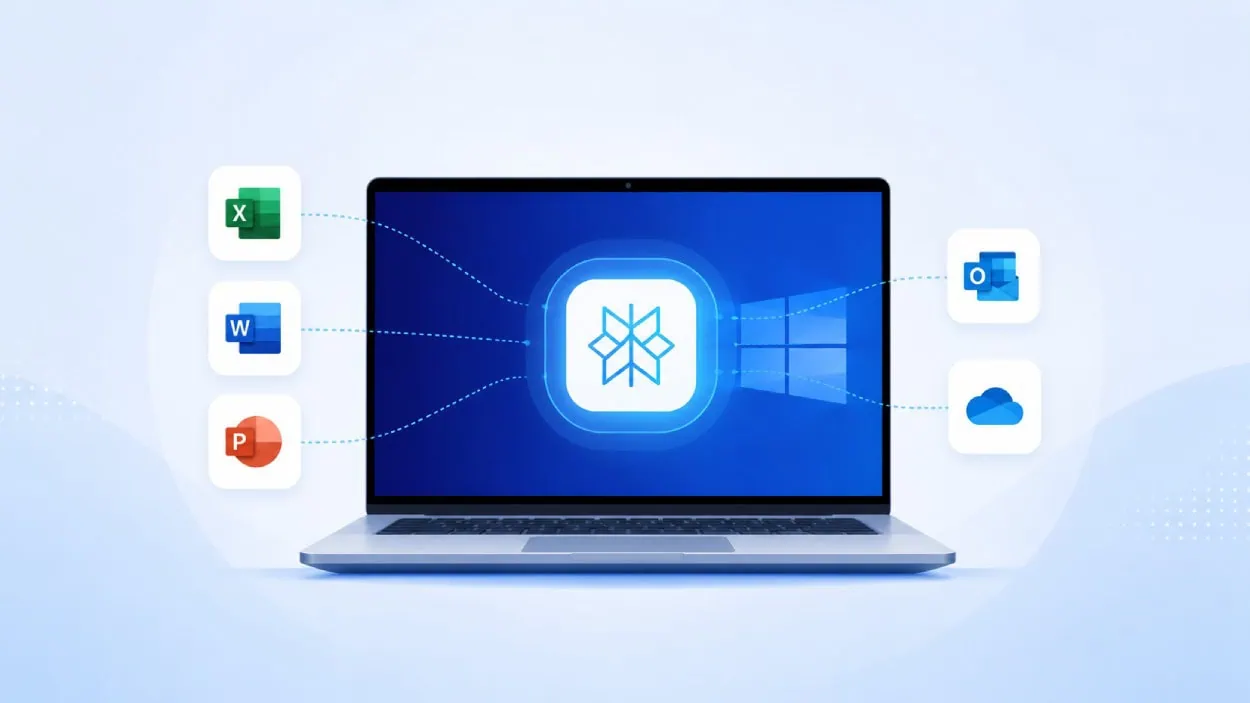
Personal Computer for Windows is designed to work across several Microsoft products, including:
- Excel
- PowerPoint
- Word
- Outlook
- OneDrive
The integration allows users to perform tasks inside these applications without manually moving information between tabs or windows. For professionals who spend much of their day in the Microsoft ecosystem, this could streamline common workflows and reduce repetitive work.
Remote Execution and Voice Controls
Perplexity is also introducing remote execution, a feature that lets users start a task from another device, such as a phone, and have their Windows computer complete the work.
In addition, the platform includes Voice Mode, allowing users to speak naturally to the system. Perplexity says the assistant can understand context, respond to instructions, and take action based on spoken commands.
These features aim to make the experience more flexible for users who frequently switch between devices throughout the day.
Powered by Multiple AI Models
Perplexity says Personal Computer for Windows can orchestrate agents across more than 20 frontier AI models. Rather than relying on a single model, the platform is designed to coordinate multiple AI systems to perform complex work involving files, applications, and research tasks.
The company believes this approach can help users handle more advanced workflows while keeping the experience integrated within the Windows environment.
Security and Enterprise Controls
Security appears to be a major focus of the launch. Perplexity says Personal Computer for Windows only accesses approved folders, files, and applications.
For enterprise customers, the platform includes:
- Folder scoping
- Per user permissions
- Activity logs
- Administrative controls
These features are intended to help organizations maintain oversight while enabling employees to use AI tools within approved boundaries.
SQ Magazine Takeaway
I think this is one of the more practical AI announcements we have seen recently. Many AI tools can answer questions, but fewer can actually work across files, applications, and desktop environments in a meaningful way.
If Perplexity delivers on its promise of secure access, deep Microsoft integration, and remote task execution, Personal Computer for Windows could become a useful productivity tool for professionals and enterprise users. The biggest question now is how well it performs in real world workflows once the broader rollout begins.